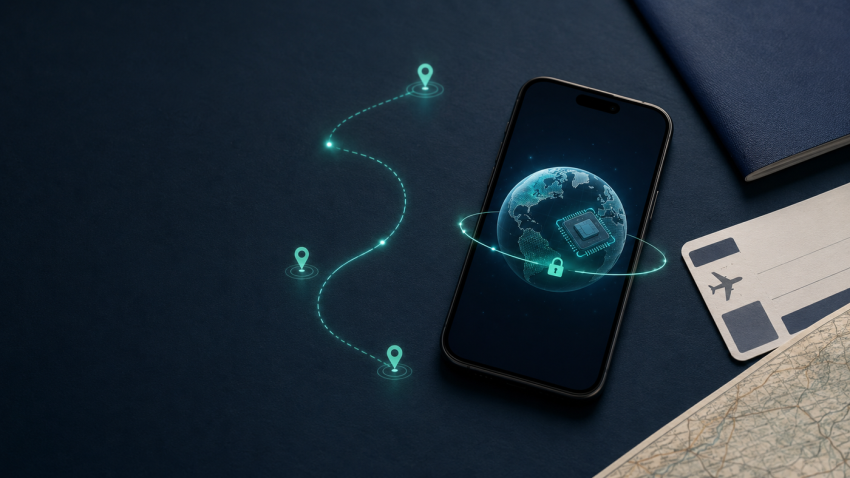
Reliable internet access is now an essential part of international travel. Travellers use their phones for navigation, hotel reservations, banking, messaging, translation, ride-hailing services and digital boarding passes.
Two technologies frequently mentioned in this context are travel eSIMs and virtual private networks. Although both help travellers use the internet abroad, they solve different problems. An eSIM provides access to a mobile network, while a VPN protects and redirects the internet connection after it has been established.
Understanding the difference can help you avoid expensive roaming charges and reduce the risks associated with unfamiliar networks.
What Is an eSIM?
An eSIM, or embedded Subscriber Identity Module, is a digital alternative to a removable SIM card. The necessary chip is built into a compatible smartphone, tablet or smartwatch, allowing a mobile plan to be downloaded directly to the device.
Instead of visiting a mobile operator’s store and inserting a plastic SIM, a traveller can usually:
- Select an eSIM plan online.
- Receive a QR code by email.
- Scan the code in the phone’s mobile network settings.
- Install the eSIM profile.
- Connect to a supported network after arriving.
Services such as eSIM4Trip offer prepaid travel data plans that can be purchased before departure. This means travellers can prepare their mobile connection while they still have access to a trusted home or hotel Wi-Fi network.
How Does a Travel eSIM Work?
A travel eSIM contains a mobile network profile that authenticates the device with supported local or partner networks. Once installed and enabled, the phone uses that profile for mobile data.
The exact activation policy depends on the plan. Its validity may begin:
- Immediately after installation
- On a specified date
- When the eSIM first connects to a supported network
- After the user manually activates the line
Travellers should check these conditions before installing a profile. Activating a plan too early could reduce the number of usable days during the trip.
Many travel plans are data-only. They provide internet access but may not include a local telephone number, conventional voice calls or SMS. Internet-based services such as WhatsApp, Telegram, Signal, FaceTime and other VoIP applications can still work over the data connection.
eSIM vs International Roaming
International roaming allows a traveller to continue using a home mobile plan in another country. It is convenient, but pricing and data limits can vary significantly.
A travel eSIM provides a separate prepaid data plan. This gives the user more control over the amount of data purchased and the duration of the service.
| Feature | Travel eSIM | International roaming |
|---|---|---|
| Installation | Digital profile | Uses the existing SIM |
| Payment | Usually prepaid | Added to the home account |
| Data limits | Selected before purchase | Defined by the home carrier |
| Primary number | Can remain active separately | Remains active |
| Local store visit | Usually unnecessary | Unnecessary |
| Risk of unexpected charges | Easier to control | Depends on roaming conditions |
Before travelling, compare the complete price, coverage, supported networks, validity period and fair-use conditions—not just the advertised cost.
Travellers visiting several countries can browse the available international eSIM destinations and compare country-specific options before departure.
Is an eSIM the Same as a VPN?
No. An eSIM and a VPN perform completely different functions.
An eSIM connects your device to a mobile network. Without a SIM, eSIM, Wi-Fi connection or another form of connectivity, the phone cannot access the internet.
A VPN creates an encrypted tunnel between the device and a VPN server. It can help protect internet traffic from interception on the local network and replace the public IP address visible to websites with the address of the selected VPN server.
The relationship is simple:
- The eSIM provides the internet connection.
- The VPN protects and routes traffic over that connection.
A VPN cannot replace a mobile plan, and an eSIM does not provide the same privacy protections as a VPN.
Why Use an eSIM and VPN Together?
Using both technologies can provide a practical balance of connectivity and security.
Mobile data without replacing your regular SIM
Many compatible phones can use a physical SIM and an eSIM together. Travellers can retain their regular number for calls or verification messages while using the travel eSIM for mobile data.
Be careful: keeping the primary SIM active may still result in roaming charges. Review the home carrier’s conditions and disable data roaming for the primary line if it is not needed.
Less dependence on public Wi-Fi
Airport, hotel, café and shopping-centre Wi-Fi networks can be convenient, but their security and configuration are outside the traveller’s control.
A travel eSIM allows the phone to use cellular data instead. This reduces dependence on public Wi-Fi, although it does not make every website, application or online action automatically safe.
Additional protection for internet traffic
When a trustworthy VPN is enabled, traffic between the phone and the VPN server is encrypted. This is particularly valuable when public Wi-Fi cannot be avoided.
A VPN should still be selected carefully. Travellers should examine the provider’s ownership, privacy policy, supported protocols, independent security assessments and handling of connection logs.
More control over the public IP address
A travel eSIM may route traffic through infrastructure located outside the country being visited. As a result, websites may detect an IP location different from the traveller’s physical location.
A VPN lets the user select an available server region. However, it does not guarantee access to every website or streaming platform, and users must comply with applicable laws and service terms.
Is a Travel eSIM Secure?
An eSIM uses standardized mobile-network authentication technology. Because the chip is built into the device, it cannot simply be removed and placed into another phone if the device is stolen.
However, eSIM technology does not eliminate other digital risks. Travellers can still encounter:
- Phishing websites
- Fraudulent applications
- Malicious email attachments
- Weak account passwords
- Insecure public Wi-Fi
- Fake QR codes
- Account takeover attempts
- Untrusted VPN services
The eSIM activation QR code should be treated as sensitive information. Do not publish it, forward it to other people or leave a printed copy where someone else can scan it.
How to Choose a Travel eSIM
Before purchasing a plan, check the following factors.
Device compatibility
Not every phone supports eSIM. Compatibility may also differ between regional versions of the same device.
Confirm that the phone:
- Supports eSIM
- Is not locked to a specific carrier
- Supports the frequencies used at the destination
- Can use the required number of active SIM profiles
Coverage and supported networks
Check which countries and local networks are included. Coverage outside major cities may differ from coverage in urban areas.
For example, travellers can compare dedicated plans for destinations such as Turkey, the United Arab Emirates and Thailand.
Data allowance
Choose a plan based on how the phone will be used:
- Messaging and email require relatively little data.
- Maps and web browsing require moderate usage.
- Social media can consume more data.
- Video calls and streaming can use several gigabytes quickly.
- Laptop tethering can significantly increase consumption.
Validity period
A low-priced plan may not be useful if it expires before the trip ends. Check whether validity is measured from purchase, installation, activation or first network connection.
Hotspot support
If you intend to connect a laptop or share data with another traveller, confirm that tethering or personal hotspot use is permitted.
Voice and SMS availability
Many travel eSIMs are data-only. Check the plan description if you need a local telephone number, conventional calls or SMS.
How to Install and Use a Travel eSIM Safely
Follow these practical steps:
- Confirm that the phone supports eSIM and is carrier-unlocked.
- Purchase the plan from a trusted provider.
- Read the activation and validity conditions.
- Connect to a secure Wi-Fi network.
- Scan the QR code in the phone’s SIM settings.
- Label the new line “Travel” or use the destination name.
- Select the eSIM as the preferred line for mobile data.
- Enable data roaming for the travel eSIM if required.
- Disable data roaming for the primary SIM to avoid accidental charges.
- Enable a trusted VPN when using sensitive services or public Wi-Fi.
- Keep the QR code until the eSIM has been successfully activated.
- Do not delete the profile during the trip unless instructed by the provider.
Some activation QR codes can only be used once. Deleting the profile may require contacting the provider to obtain a replacement.
Common eSIM Problems
The QR code does not work
Confirm that the phone is connected to the internet and that the QR code has not already been used. If necessary, enter the supplied SM-DP+ address and activation code manually.
The eSIM is installed but has no internet
Check that:
- The eSIM line is enabled.
- It is selected for mobile data.
- Data roaming is enabled if required.
- The correct APN is configured.
- Automatic network selection is active.
- The plan has started and still has available data.
The phone shows a different operator name
This is usually normal. Travel eSIM providers often connect customers through partner mobile networks, so the name displayed by the phone may differ from the name of the eSIM service.
The VPN reduces connection speed
Encryption and routing through a remote server can reduce performance. Try a geographically closer server or a modern VPN protocol. The mobile network’s signal strength and congestion can also affect speed.
Final Thoughts
A travel eSIM and a VPN should be viewed as complementary tools.
The eSIM provides convenient mobile connectivity without requiring a physical SIM card. The VPN adds a layer of privacy and security to the resulting internet connection. Together, they can reduce dependence on public Wi-Fi, make data costs easier to control and provide a more predictable online experience abroad.
Before travelling, verify device compatibility, compare plan conditions and install the eSIM using a trusted connection. Travellers who want to review available country plans can start with the eSIM4Trip destination directory.